Friday, 14 November 2014

Create Trigger in SQL server

A lazy developer should know about Trigger ;) , Now we are going to learn.. :P Not learn just know How to create trigger in SQL server.

here is the structure ,    
CREATE TRIGGER trigname ON mytable
FOR INSERT/UPDATE/DELETE
AS
  BEGIN
  /* Trigger Body*/
  END 


Here    trigname is my trigger name
            mytable is my table name
            INSERT/UPDATE/DELETE you can use either single from these.
if you want to trigger your code in both  INSERT and UPDATE , you can use  them like this  INSERT,UPDATE [Separate by comma (,)].

Please not that , Instead of  FOR you can use   AFTER | INSTEAD OF  these guys as per your needs.

And..................

You can access the inserted guys in trigger if you want  by using this

DECLARE @MyVariable BIGINT

SELECT @MyVariable = I.myfield
FROM   inserted I; 


 :) eee

Thursday, 13 November 2014

How to pass data table as a parameter in SQL server -procedure?


Hi,
 
     For doing this you must create a table type user variable (User defined table type in sql server) . Please note that, the type should be in your data table structure, I mean its type. Means data types of fields man :)


here is the code for create table type in SQL server.


CREATE type dbo.categorytabletype AS TABLE 
( categoryid INT, categoryname NVARCHAR(50) ) 


here categorytabletype  Is my table type
        categoryid and categoryname  Are fields of table type variable followed by its data type

Simply like table creation

let us start to create our procedure with this table type parameter

CREATE PROCEDURE Usp_updatecategories 
(@tvpNewCategories dbo.categorytabletype READONLY)
AS
  BEGIN
  /* CRATE YOUR PROCEDURE BODY HERE  */
  /* WE CAN ACCESS THE 
@tvpNewCategories LIKE A TABLE HERE*/
  END 


Don't forget about  READONLY , He is an important one, Table type parameter should be readonly.

Thank you :)

Friday, 7 November 2014

Minimize a form in C#

Hi,
   You can minimize your C# form by clicking on  a cancel button.

Here is the code

     private void btnCancel_Click(object sender, EventArgs e)
        {
            this.WindowState = FormWindowState.Minimized;
        }


Here  btnCancel : is my cancel button


Thank you.

Thursday, 6 November 2014

How to register dll in windows 7 64 bit

Follow my blog with Bloglovin
Paste your  dll in SysWOW64 folder [Eg path: C:\Windows\SysWOW64 ]

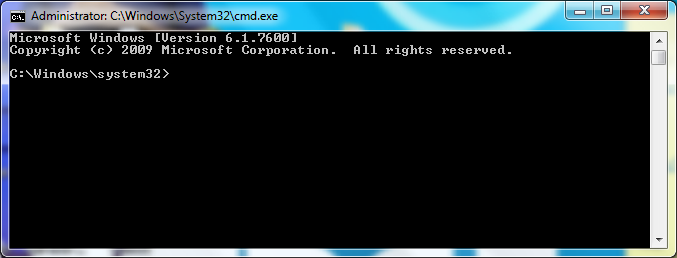
Run cmd [Command Prompt] as Administrator: set path to SysWOW64


Enter regsvr32 Mydll.dll


here Mydll is My dll name

Press enter , If there is a successful massage, you did bro :)

Click here for 32 bit

Thank you :)

Tuesday, 4 November 2014

How to register dll in windows 32 bit OS?

Paste your  dll in System32 folder [Eg path: C:\\Windows\System32  ]
             
Run cmd [Command Prompt] as Administrator: set path to system32


Enter regsvr32 Mydll.dll


here Mydll is My dll name

Thank you :)


Monday, 3 November 2014

Declare veriable in oracle procedure.

Hi, today I am talking about variable decleration inside a procedure....


CREATE OF replace PROCEDURE procedure_name 
      p_parameter type[VARCHAR(20)];
AS    
     v_variables number(10);  
BEGIN
  --PROCEDURE BODY
END;


here v_variables is my variable in number datatype. Just look at that he is lies in between AS and BEGIN keywords.

How to acess sqlplus in command prompt?

Hi,
here is the code


C:\\>SQLPLUS /HOST NAME
Enter username : Username
Enter password : Password


here HOST NAME : My database name
Username
and Password are Credentials of user have permission to acess corresponding database.


Thanks ;)

Saturday, 1 November 2014

How to recover SQL Server database from suspect?

Hi friends,  May you face the situation, that your database in SQL Server shows in  suspect mode


Now I have a solution for that, Just try this  may it will help you guys to recover it.
here is the code ...

EXEC Sp_resetstatus 'AgriculturalDB';
ALTER DATABASE agriculturaldb SET emergency
DBCC checkdb('AgriculturalDB') ALTER DATABASE agriculturaldb
SET single_user WITH ROLLBACK immediate
DBCC checkdb ('AgriculturalDB', repair_allow_data_loss)
ALTER DATABASE agriculturaldb SET multi_user 


here .AgriculturalDB  Is my suspected database name 

Simple one na, Khush karooo :)

Thursday, 30 October 2014

How to get maximum cursors in oracle?

Hi,  I am going to restart my blogging, Now I am telling about Maximum cursor count in our  oracle db settings. Here is the query to pick up that buddy [:) kidding actually I mean that property]..


SELECT NAME,
       value
FROM   v$parameter
WHERE  NAME = 'open_cursors'; 


 here   v$parameter  : A view have all parameter settings
           NAME        : Parameter Name ['open_cursors']
           value       : Value set to the parameter


Note : Default cursor count is 600 in oracle.


Thank you... :)

Monday, 5 November 2012

Send mail from asp.net

How to send mail from asp page ?? Here is the solution. ..
  we are using google mail [gmail] credentials for send mails from our page. before use the code you must specify the following header 
   using System.Net.Mail;


try
        {
            MailMessage mail = new MailMessage();
            SmtpClient SmtpServer = new SmtpClient("smtp.gmail.com");

            mail.From = new MailAddress("frommail@gmail.com");
            mail.To.Add("Tomail@gmail.com");
            mail.Subject = "Test Mail";
            mail.Body ="Test Mail";

            SmtpServer.Port = 587;
            SmtpServer.Credentials = new System.Net.NetworkCredential("username", "password");
            SmtpServer.EnableSsl = true;

            SmtpServer.Send(mail);
           
        }
        catch (Exception ex)
        {
            Response.Write(ex.Message);
        }


use the code and enjoy your mailing .............. :)

Friday, 26 October 2012

Connet C#.net with SQL server 2008 with dsn

Hi. Guys,
   Create a dsn with name "dsnApp".

Add  following code to your program.cs file


         try
            {
               OdbcConnection conDb=new OdbcConnection();
                string strsql ;
                strsql = "Provider=MSDASQL.1;DSN=dsnApp;UID=sa;pwd=app;";
                conDb.ConnectionString = strsql;
                conDb.Open();
           }
            catch(Exception ex)
           {
               MessageBox.Show(ex.ToString());
            }
                                                                                 If you are using VB.net your code is here

Thank you :)


Monday, 27 February 2012

Fill Combobox using dataset in VB.net


                         If You have a combobox1 in a form (“Form 1”) and a database in SQL server  with a table,  named “tblCountry”  having  fields “countryID”, ”countryName” with data then  you can strat from here..... :)
Because, we fill combobox with Country with its id,


For database connection using dsn

We are using odbc connection , So we must import odbc class file first into the form(“Form 1”),

Imports System.Data.Odbc

Create a sub function in your form

Public Sub FillMaComboBox()

        Dim sqlQury As String
        sqlQury = "select countryID, countryName from tblCountry" 

        Dim ds As New DataSet
        Dim odbda As New OdbcDataAdapter(sqlQury, conDb) ‘conDb is connection object
        odbda.Fill(ds) ‘Fill selected data to ds(our dataset) using OdbcDataAdapter

        ComboBox1.DataSource = ds.Tables(0).DefaultView
        ComboBox1.DisplayMember = “countryName” ‘We want to display country
        ComboBox1.ValueMember = “countryID” ‘We store id as valueMember of ComboBox

End Sub


Now you did it bro.,
You can use this “ FillMaComboBox() into any event handler that you want….:)


Thursday, 16 February 2012

Thread in VB.net

This is a simple App for Demonstrate threading in VB.net
   Add
          1) ListBox 1,ListBox 2
          2)Button1(Start Thread)
                                       To our Form (Form1)
Now we are ready for coding ..... :)


  • Import "System.threading" to our thread App
        Import System.Threading
  • Create  Sample functions in app called "FillList1" and "FillList2"
        Private Sub FillList1()
       for i as integer=0 to 25
           ListBox1.Items.Add(i)
           Threading.Thread.Sleep(1000) 'To visible working of threads
       next i
     End Sub
     Private Sub FillList2()
       for j as integer=0 to 25
           ListBox2.Items.Add(j)
           Threading.Thread.Sleep(1000)
       next i
     End Sub
  • Now we call our sample threads from our start Button (Button1)
     Private Sub Button1_Click(ByVal sender As System.Object,_
                        ByVal e As System.EventArgs)Handles Button1.Click

        Dim thrd1 As Threading.Thread   'Declare thread1 named as thrd1

        Dim thrd2 As Threading.Thread   'Declare thread2 named as thrd2

        Control.CheckForIllegalCrossThreadCalls=False 'Avoid Illegal thread call

        thrd1=New Threading.Thread(AddressOf FillList1)  

        thrd2=New Threading.Thread(AddressOf FillList2)

        thrd1.Start()

        thrd2.Start()
End Sub

Now run your App.......:D